Suppose you need to check whether a new product is available in Australia, what it costs and what changed this month. Perplexity can search for the answer and show the pages it used, so you can inspect the evidence instead of trusting a polished paragraph on its own.
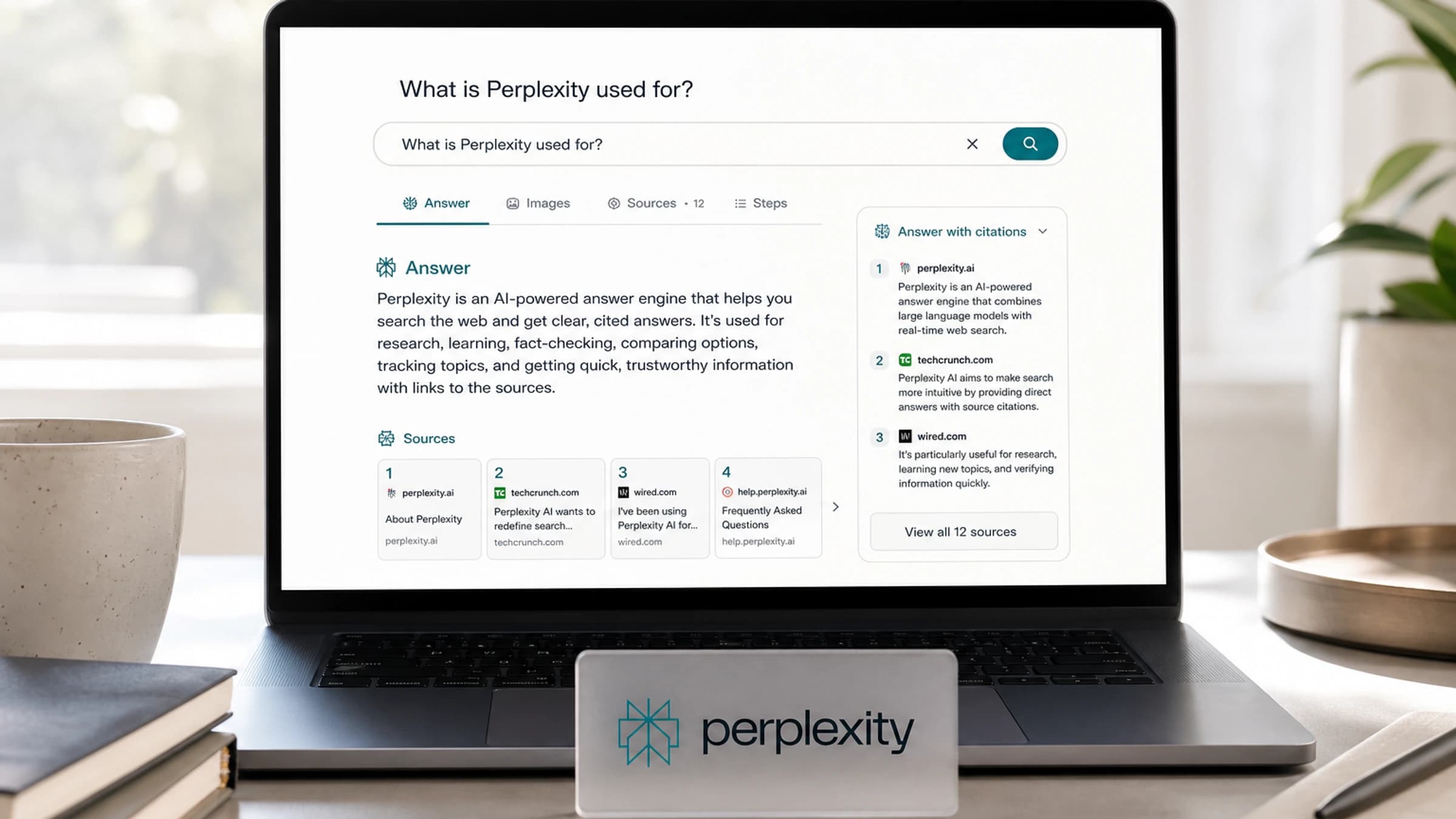
Perplexity is an AI answer engine that combines web search with a written response and citations. Its strongest use is research where current information and a source trail matter. It can save the first round of searching; it does not remove the need to open the important sources yourself.
What is Perplexity? Key facts at a glance
| Question | Answer |
|---|---|
| What is Perplexity? | An AI-powered answer engine for searchable, cited answers. |
| Best for | Research, comparisons, summaries, market scans, learning and source discovery. |
| Main difference | It makes citations central rather than optional. |
| Main risk | The answer can still be wrong, incomplete or based on weak sources. |
| Closest alternatives | Google AI Mode, ChatGPT with search, Gemini, Claude with web access, Brave Search and You.com. |
What Perplexity actually does
Perplexity turns a question into a search-and-synthesis workflow. Its Pro Search guide describes searching multiple sources, assembling an answer and linking back to the originals. The product is designed to help you discover information, summarise it and keep a route back to the evidence:
- find current information,
- synthesise it into a readable answer,
- link back to the sources behind that answer.
That makes it useful when you do not want ten blue links, but also do not want an unsupported AI paragraph. You can ask follow-up questions, narrow the search, compare sources, or ask it to turn the answer into a table, checklist or brief.
Perplexity vs Google vs ChatGPT
| Tool | What it is best at | Where Perplexity is stronger | Where it is weaker |
|---|---|---|---|
| Google Search | Broad web discovery and navigation | Faster summaries with cited source links | Less useful for browsing many raw results yourself |
| ChatGPT | General assistant tasks, including writing, coding and research | A search-first workflow with visible source links | Different strengths; compare on your actual task |
| Google AI Mode or AI Overviews | Search answers inside Google | Cleaner research-style dialogue and citations | Google has deeper search distribution and index control |
| Claude or Gemini | Long reasoning, writing and multimodal tasks | Fast cited research workflow | Model-specific depth may be better elsewhere |
A good rule: use Perplexity when the source trail matters. Use a pure chatbot when the task is mostly thinking, drafting or coding from context you already trust. Its Pro Search guide describes how the search-and-synthesis workflow uses sources.
How Perplexity Search works in practice
Try a question with a checkable answer: “As of September 2026, which Perplexity plans include Computer in Australia? Use Perplexity’s own help pages and give the page date for each claim.” Then open the cited plan pages yourself. Check the country, plan name, last-updated date and whether the citation actually supports the sentence. If a page is older than a product announcement, ask the question again with the newer source supplied. That is the difference between finding an answer and verifying it.
| Step | What happens | What you should check |
|---|---|---|
| 1. Ask | You enter a question in plain English. | Be specific about location, date range and format. |
| 2. Search | Perplexity searches live web sources or selected indexes. | Check whether the sources are current and relevant. |
| 3. Synthesis | An AI model condenses the source material into an answer. | Look for missing caveats or overconfident wording. |
| 4. Citations | The answer includes links to source pages. | Open the links before relying on the claim. |
| 5. Follow-up | You refine the answer conversationally. | Ask it to compare, challenge or verify the result. |
The workflow is fast, but it does not remove judgement. A cited answer is more inspectable than an uncited one, not automatically true.
Perplexity Search, Research, Projects and Computer
Perplexity has renamed parts of this product over time: Labs became Create files and apps, and Spaces became Projects. The functions below are more useful than memorising an old menu label. Check the current interface and plan for exact access.
| Feature | What it does | Best use |
|---|---|---|
| Search | Produces fast, up-to-date answers with cited sources. | Everyday questions, summaries and comparisons. |
| Research (formerly Deep Research) | Runs longer autonomous research, reading many sources and creating a report. | Market scans, technical explainers, product research. |
| Computer | An agentic AI assistant that can take a goal, choose tools and models, and work through multi-step tasks on your behalf. | Tasks that move beyond answers, such as drafting documents, analysing files, using apps, building workflows or handling browser-based work. |
| Pro | Adds higher limits, premium models, deeper sourcing and more advanced work modes. | Regular professional research. |
| Enterprise | Adds team-oriented controls and connections to files or tools. | Company research, internal knowledge and secure workflows. |
| Comet | Perplexity's AI browser with an assistant for browsing, email and web tasks. | Delegating browser-based research and actions. |
| Create files and apps (formerly Labs) | Turns research into outputs such as reports, spreadsheets, dashboards or simple apps. | Moving from answer to deliverable. |
| Pages | A publishing format introduced by Perplexity; check whether it is available in your current interface. | Sharing a researched explanation when the feature is available. |
| Sonar API | Gives developers access to Perplexity's search and grounded AI capabilities. | Building apps that need current web answers. |
Perplexity Computer is the feature that changes the product
Perplexity Computer deserves its own callout because it moves beyond answering a question. Perplexity describes Computer as an agent that can coordinate research, coding and creation across tools. If you are new to this category, our AI agent guide explains what it means for software to take actions as well as generate answers. That is a different level of permission and review from asking Search for a summary.
That changes the category: Search helps you understand something; Computer attempts a multi-step task. Perplexity now offers cloud Computer workflows and local or hybrid variants on supported devices. Product names, operating-system support and plan access change quickly, so check the current plan and device requirements before choosing a workflow.
| Computer version | What it means | Practical example | Caveat |
|---|---|---|---|
| Perplexity Computer | Cloud-based agentic work system that can orchestrate models and tools. | Research a market, draft a memo, build a simple workflow or process information across sources. | Availability, credits and plan access can change. |
| Personal Computer | Local computer workflow on supported Mac and Windows devices; check current access. | Ask it to work across documents, browser tabs or app-based tasks. | Local computer control needs careful permissions and approval habits. |
| Computer for Enterprise | Team version for business workflows and shared company context. | Research a prospect, draft outreach, generate a PRD or analyse internal material. | Enterprises need governance, security and audit controls. |
A useful distinction is Search for answers, Research for longer reports, and Computer for delegated tasks. The further you move towards action across apps and files, the more important narrow permissions, visible approval steps and output review become. A citation on a Search answer does not verify an action taken by Computer.
Is Perplexity free?
Perplexity has a free Standard plan and paid Pro, Max and enterprise plans. Its current plan guide shows that free users get basic search with limited advanced usage; paid plans expand research, model and creation allowances. Limits and eligibility differ by plan. Developers can use the separately billed API products, including Sonar.
Check the current plan page before buying, especially if you need Computer, advanced models or team controls. A feature listed for one paid tier may have a different limit in another.
What can you use Perplexity for?
| Use case | Example prompt | Why it works well |
|---|---|---|
| Learning | “Explain quantum chips like I am a product manager.” | It can combine definitions, examples and sources. |
| News research | “What changed in AI regulation this week?” | Live search is central to the product. |
| Buying decisions | “Compare these three laptops for video editing.” | Tables and source links make comparisons easier. |
| Competitive research | “Summarise recent moves by Canva, Adobe and Figma.” | It can scan multiple sources quickly. |
| Academic starting points | “Find recent papers on synthetic data for healthcare.” | It helps discover sources, but you still verify them. |
| Work briefs | “Create a one-page brief on this market.” | Research and Create files and apps can turn findings into a structured deliverable. |
Can Perplexity answers and citations be trusted?
Perplexity is useful because it exposes sources, but it is still an AI system. The model can misread a source, merge incompatible facts, miss important context, or cite a page that does not fully support the sentence beside it. Publishers have also criticised Perplexity over content use, crawling behaviour and attribution, which is part of the broader debate about AI search and journalism.
| Risk | What can happen | How to reduce it |
|---|---|---|
| Weak citation fit | The source exists but does not support the exact claim. | Open citations and check the quoted fact. |
| Outdated results | A newer article changes the answer. | Add the date range and ask for latest sources. |
| Source bias | It leans on available or high-ranking sources. | Ask for official, independent and critical sources separately. |
| Hallucination | The answer includes an unsupported detail. | Ask “which source supports that?” and verify manually. |
| Copyright and publisher concerns | Summaries may sit in tension with publisher business models. | Use it for research, not as a replacement for original reporting. |
How to get better answers from Perplexity
Do not just ask “what is Perplexity?” and accept the first result. Ask like an editor.
- Add context: “for a beginner”, “for a CTO”, “for an Australian small business”.
- Ask for source quality: “prioritise official documentation and reputable technology reporting”.
- Force comparison: “show where Perplexity differs from ChatGPT and Google Search”.
- Request tables: “make a table of features, risks and best use cases”.
- Ask for verification: “list any claims that need manual checking”.
- Use follow-ups: “what did you leave out?” or “what would critics say?”
Who should use Perplexity?
Perplexity is best for people who need quick research with receipts: students, analysts, founders, marketers, journalists, consultants and curious readers. It is less ideal when you need exhaustive legal, medical or financial certainty. In those cases, treat it as a starting point and verify with primary sources or qualified experts.
FAQ about Perplexity
Is Perplexity a search engine or a chatbot?
It is both, but “answer engine” is the better description. It searches the web, uses AI models to write answers, and includes citations so users can inspect the source trail.
Is Perplexity better than ChatGPT?
Perplexity may be a good fit when you want a quick answer with a source trail. ChatGPT and other assistants also offer research and web tools, so “better” depends on the task, the plan and the answer you verify. Compare the same question and open the cited primary sources in both results.
Does Perplexity give sources?
Yes. Citations are one of its defining features. You should still open them because a citation can be relevant without proving every detail in the answer.
What is Perplexity Pro?
Perplexity Pro is a paid tier for heavier users. It offers higher usage, access to advanced models and deeper research or creation features, depending on the current plan details.
What is Perplexity Sonar?
Sonar is Perplexity’s API family for web-grounded responses in another application. The API is billed separately from a consumer subscription; developers should inspect its current models, citations and pricing before building on it.
When Perplexity is worth using
Perplexity is what search looks like when the result is an answer instead of a page of links. Its edge is speed, citations and research workflow. Its weakness is the same weakness every AI answer system has: it can sound more certain than the evidence allows. Use it to discover, compare and summarise. Trust it only after you have checked the sources.